
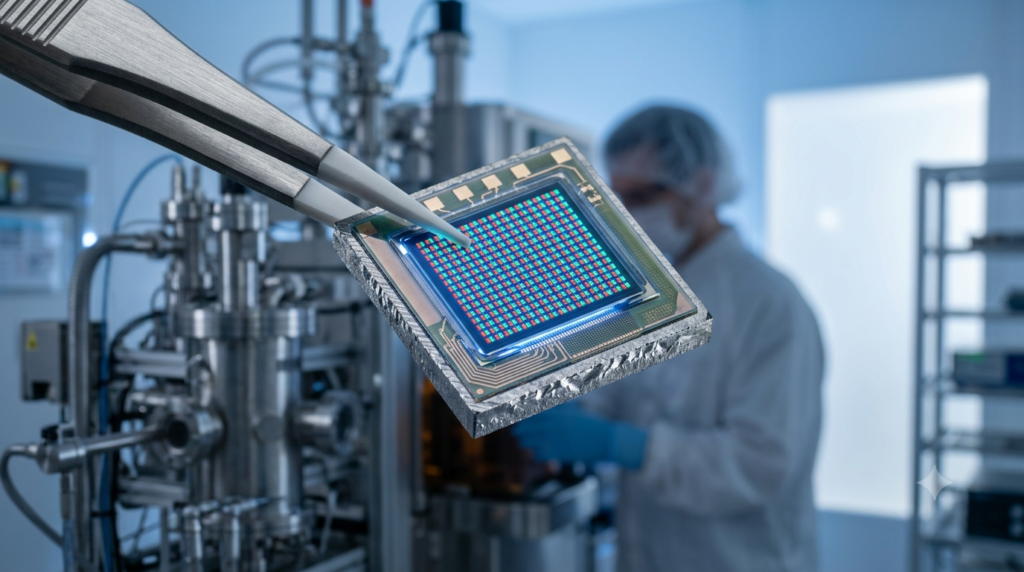
Micro Display Resolution and Pixel Density Explained
Micro display resolution and pixel density explained simply: resolution refers to the total number of pixels on a microdisplay panel, while pixel density (measured in PPI, pixels per inch) describes how tightly those pixels are packed into the panel’s small physical area. Because microdisplay panels are typically under two inches diagonally, even a modest pixel count can produce extremely high pixel density, which directly affects sharpness, the visibility of the “screen-door effect,” and overall image quality in near-eye devices such as AR glasses, VR headsets, and viewfinders.
In short, micro display resolution and pixel density explained together answer one core question: how much visual detail can a tiny screen deliver when viewed just millimeters from the eye? Resolution tells you the pixel count (for example, 1920×1200), while pixel density tells you how densely those pixels are packed relative to panel size, usually expressed in PPI.
A 0.71-inch microdisplay panel with a resolution of 1920×1200 can reach a pixel density well above 3000 PPI, far exceeding what is needed on a standard smartphone screen, because the viewing distance and magnifying optics used in near-eye systems demand much finer pixel structures to avoid visible artifacts.
Introduction: Why Resolution and Pixel Density Matter for Microdisplays
When engineers and product teams evaluate microdisplay components for AR glasses, VR headsets, EVF viewfinders, or industrial optical instruments, resolution and pixel density are usually the first two specifications they compare. Yet these two terms are often confused or used interchangeably, even though they describe different things. Understanding micro display resolution and pixel density explained in practical terms helps procurement teams and design engineers avoid costly mismatches between a display panel and the optical system built around it.
Unlike conventional displays viewed from a comfortable distance, microdisplays are almost always magnified through a lens system and viewed extremely close to the eye. This magnification amplifies any weakness in resolution or pixel density, making these two specifications far more critical for microdisplays than for a typical television or monitor. This guide breaks down what resolution and pixel density actually mean, how they interact, and how to evaluate them when sourcing a microdisplay for your project.
What Is Micro Display Resolution?
Micro display resolution refers to the total number of individual pixels arranged horizontally and vertically across the display panel, commonly written as width x height, such as 1280×720, 1920×1200, or 2560×2560 for newer high-end panels. Each pixel is an individually controllable point of light or reflection, depending on whether the panel uses an emissive technology like OLEDoS or a reflective technology like LCoS.
Higher resolution generally means more image detail can be displayed, which is particularly important for applications that require reading fine text, viewing detailed graphics, or supporting professional imaging tasks such as endoscopy or industrial inspection. However, resolution alone does not tell the full story, because the same resolution can look dramatically different depending on how small or large the physical panel is.
Common Micro Display Resolution Standards
Several resolution standards have become common across the microdisplay industry, including HD (1280×720), Full HD (1920×1080), WUXGA (1920×1200), and increasingly, square-format panels such as 2560×2560 used in some AR waveguide systems.
Each standard serves different application needs, with WUXGA panels often chosen for AR and VR headsets due to their balance of detail and manufacturing cost, while square-format panels are gaining popularity in waveguide-based AR systems that require even light distribution across both axes.
Understanding Pixel Density (PPI) in Micro Displays
Pixel density, measured in pixels per inch (PPI), describes how tightly pixels are packed into the physical surface of the display panel. It is calculated by dividing the diagonal pixel count by the diagonal size of the panel in inches. Because microdisplay panels are extremely small, often between 0.13 inches and 1.3 inches diagonally, even moderate resolutions translate into very high pixel densities compared to smartphones or televisions.
For example, a 0.71-inch panel with a 1920×1200 resolution can exceed 3200 PPI, while a typical smartphone screen sits in the 400 to 500 PPI range. This dramatic difference exists because microdisplay images are magnified and viewed at extremely close range through eyepiece optics, so a much finer pixel structure is required to avoid the individual pixels becoming visible to the human eye.
Why High Pixel Density Reduces the Screen-Door Effect
The “screen-door effect” refers to the visible grid pattern that can appear when the gaps between pixels become noticeable after magnification, making the image look like it is being viewed through a mesh screen. Higher pixel density reduces the size of these gaps relative to the overall image, which is why AR and VR headset manufacturers continuously push for higher PPI panels rather than simply increasing raw resolution on a larger substrate.
How Resolution and Pixel Density Work Together
Resolution and pixel density are related but distinct, and both must be considered together rather than in isolation. A panel can have high resolution but low pixel density if the physical size is too large, resulting in visible pixel structure despite a high pixel count. Conversely, a smaller panel with the same resolution will have a much higher pixel density, producing a sharper, more seamless image once magnified through the optical system.
This is precisely why micro display resolution and pixel density explained side by side gives engineers a more complete picture than either specification alone. When comparing two microdisplay options, it is far more useful to compare PPI values directly rather than relying only on resolution numbers, especially when the panels being compared have different physical sizes.
Real-World Example: Comparing Two Panels
Consider two hypothetical microdisplay panels, both with a resolution of 1920×1200. If Panel A measures 0.71 inches diagonally and Panel B measures 1.3 inches diagonally, Panel A will have a significantly higher pixel density than Panel B, even though both panels display the exact same resolution. In a near-eye AR or VR application, Panel A would typically produce a noticeably sharper and more immersive image, assuming the optical system is properly matched to the smaller panel size.
Factors That Influence Pixel Density in Microdisplay Panels
Several manufacturing and design factors influence how high a pixel density a microdisplay panel can achieve, and understanding these factors is useful when evaluating suppliers or technology types.
Display Technology Type
Different microdisplay technologies have different practical limits on achievable pixel density. OLEDoS (OLED on Silicon) panels are built on monocrystalline silicon wafers using mature semiconductor manufacturing processes, which allows for extremely fine pixel pitch and high pixel density. LCoS panels, which rely on reflective liquid crystal layers, can also achieve high pixel density but require careful management of illumination uniformity across the panel.
Manufacturing Process and Pixel Pitch
Pixel pitch, the physical distance between the centers of two adjacent pixels, directly determines the maximum achievable pixel density for a given manufacturing process. Advances in semiconductor lithography have steadily reduced achievable pixel pitch over the past decade, enabling manufacturers to pack more pixels into increasingly compact panel sizes without sacrificing yield or reliability.
Panel Size Constraints
Because microdisplay panels are inherently small, there is a physical limit to how much resolution can be added before manufacturing yield and cost become impractical. This is why manufacturers often focus on reducing pixel pitch rather than simply enlarging the panel, since a larger panel changes the optical design requirements of the entire near-eye system.
Choosing the Right Resolution and Pixel Density for Your Application
Selecting the appropriate resolution and pixel density depends heavily on the intended application, and there is no single “best” specification that fits every use case.
AR and VR Headsets
For consumer and enterprise AR and VR headsets, higher pixel density is generally prioritized to minimize the screen-door effect and support an immersive viewing experience, particularly for applications involving fine text or detailed 3D content. WUXGA and higher resolutions paired with sub-one-inch panel sizes have become a common sweet spot for many AR and VR product designs.
Viewfinders and Industrial Imaging
For electronic viewfinders (EVFs) and industrial inspection instruments, resolution requirements are often driven by the need to accurately represent fine image detail for professional use, though extreme pixel density may be less critical than in immersive AR/VR applications where the entire field of view is filled by the display.
Rifle Sights and Tactical Optics
In applications such as rifle sights and holographic sights, resolution and pixel density requirements differ significantly from AR/VR headsets, since the display typically only needs to render a reticle or simple aiming point rather than complex imagery. In these cases, factors like brightness, power efficiency, and durability often take priority over raw pixel density.
Common Mistakes When Evaluating Micro Display Specifications
One of the most common mistakes buyers make is comparing resolution numbers alone without considering panel size or PPI, which can lead to choosing a panel that looks impressive on paper but performs poorly once magnified through the final optical assembly.
Another frequent oversight is failing to account for how the optical system’s magnification ratio interacts with pixel density, since even a high-PPI panel can show visible pixel structure if paired with an optical design that magnifies the image beyond what the pixel density can support.
It is also worth noting that resolution and pixel density are only part of the full performance picture. Brightness, contrast ratio, refresh rate, and color accuracy all play important roles in overall image quality, and a well-rounded micro display manufacturer will be able to advise on how these specifications work together for your specific application.
Conclusion
Micro display resolution and pixel density explained together provide a much clearer picture of expected image quality than either specification alone. Resolution tells you how many pixels a panel contains, while pixel density tells you how tightly those pixels are packed relative to the panel’s physical size, and this second factor is often more important for near-eye viewing applications.
When evaluating microdisplay panels for AR glasses, VR headsets, viewfinders, or specialized optics such as rifle sights, always compare PPI values alongside resolution figures, and consider how the optical system’s magnification will affect the final perceived image quality. If you would like expert guidance on selecting the right microdisplay for your project, feel free to contact our team for a tailored recommendation.
Frequently Asked Questions
Q1: What is considered a high pixel density for a micro display? Pixel densities above 2000 PPI are generally considered high for micro display applications, with premium OLEDoS panels used in AR and VR headsets often exceeding 3000 PPI due to their extremely small physical size relative to their resolution.
Q2: Does higher resolution always mean better image quality on a micro display? Not necessarily. Higher resolution only improves perceived image quality if it also results in higher pixel density relative to the panel’s physical size and the optical system’s magnification ratio; a high-resolution panel on an oversized substrate can still show visible pixel structure.
Q3: What is the difference between micro display resolution and pixel density? Resolution refers to the total pixel count on the panel, while pixel density describes how densely those pixels are packed into the physical panel area, measured in pixels per inch (PPI); both need to be evaluated together for near-eye display applications.
Q4: Why do AR and VR headsets need such high pixel density compared to smartphones? AR and VR headsets magnify the display image significantly and are viewed extremely close to the eye, which makes individual pixels far more visible than on a smartphone screen viewed at a normal distance, requiring much higher pixel density to maintain a smooth, artifact-free image.
Q5: How can I compare pixel density between different micro display suppliers? Request the exact panel size, resolution, and calculated PPI from each supplier, and where possible, evaluate sample units under the actual magnification ratio your optical system will use, since PPI alone does not account for how the final assembled system will present the image to the viewer.